We've enhanced many different sections of the Fiduciary Focus Toolkit including the Investment Screener, Investment Models, Cost & Services, Custom Investments and Prospects. Read below to get all the details!
New Feature – 401(k) Platform Availability Lists
Quickly screen through investment platforms from providers you work with.
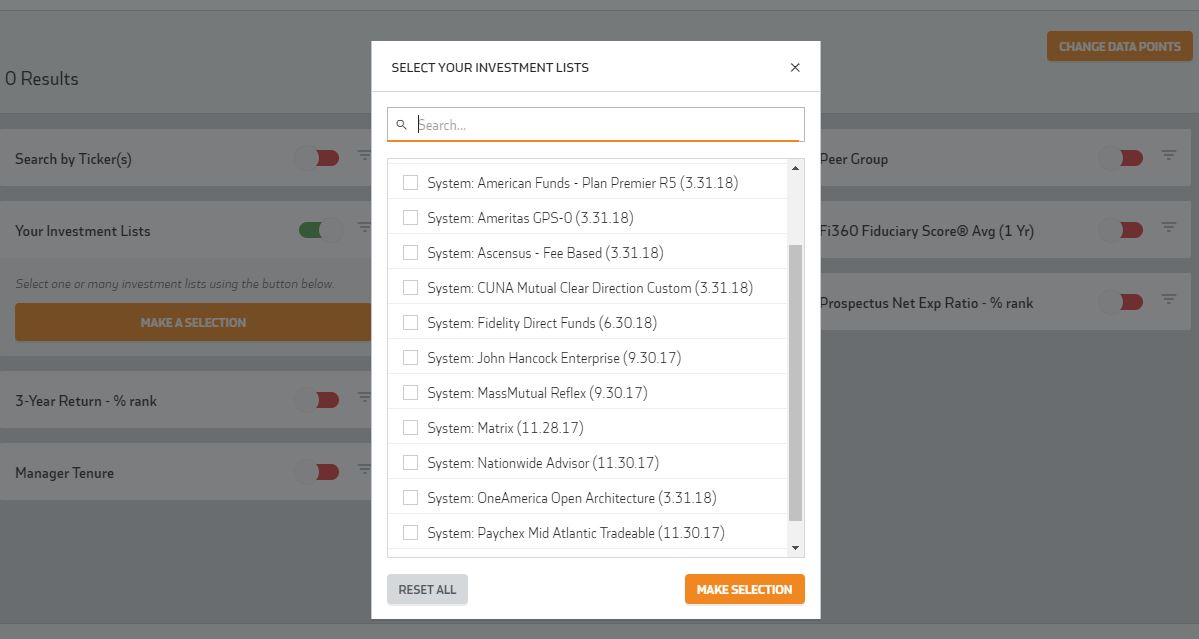
- Over 175 investment lists are now pre-populated for you within the Investment Screener
- Fi360 receives these directly from providers so you don't have to upload your own
- Updated regularly - last update date is shown in the name of the list
To get started, go to the Investment Screener and launch a New Search. Next, Change Data Points(top right), select Your Investment Lists and Make Selection. From here you will be able to toggle on Your Investment Lists (red switch to green) and click Make A Selection.
New Feature – Blended Benchmark
Benchmark your models against indexes of your choosing.
- Compare model to one index or a blend of multiple indices with allocations
- Choose from many common indexes
- Configure index allocations over time to mirror changes in model allocations i.e. added real estate investment to a portfolio at a certain point in time and now need to add a real estate benchmark for the same time
- Benchmark performance and risk metrics will now show in the Model Portfolio Report (factsheet section)
To get started, go to Settings, Blended Benchmarks. Once you have these setup, you can apply to a model in the Investment Models section of the Fiduciary Focus Toolkit.
New Feature – Fee Schedules
Save time creating cost reports by inputting your fee schedule in the Fiduciary Focus Toolkit.
- Incorporate into one cost profile and save time by applying to many clients
- Supports both participant and asset based fee schedules
- Flexibility to match your fee structure (bps or dollar values)
- Shows up in Cost & Service Reporting
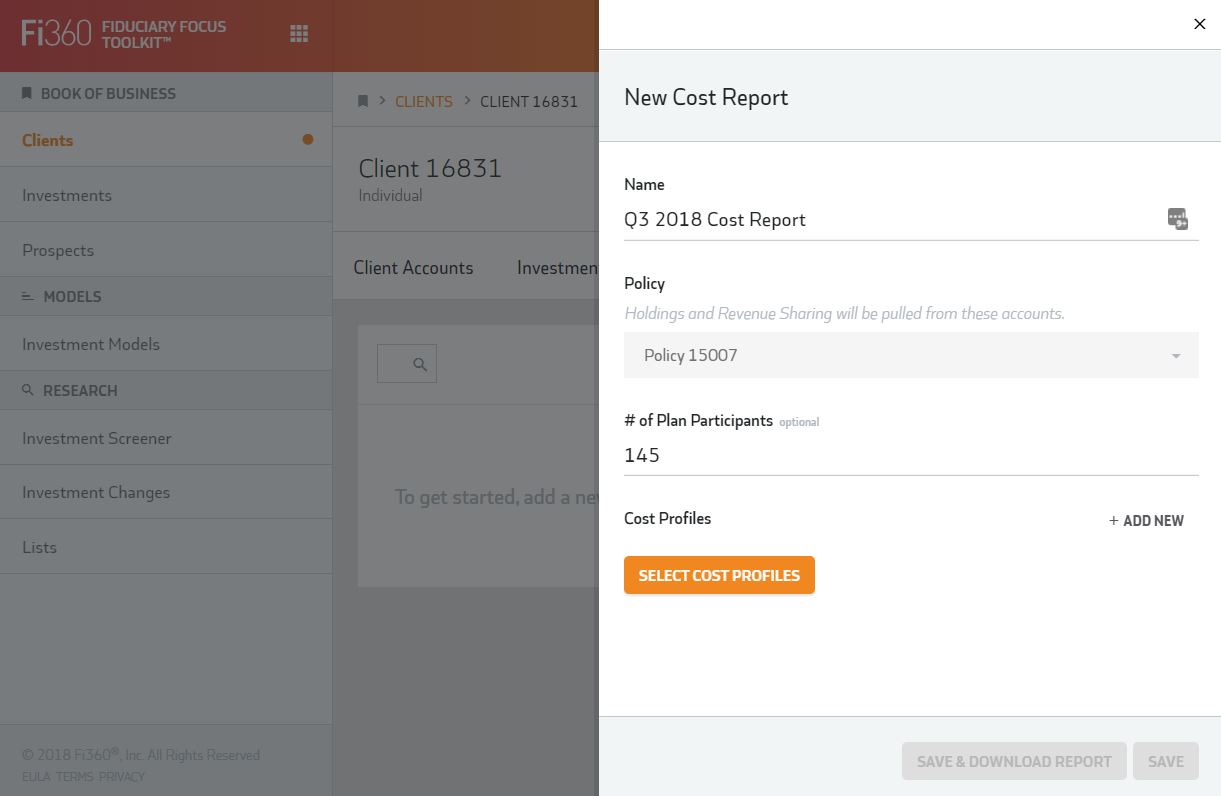
To get started, go to Settings, Cost Profiles. You can create a new cost profile that incorporates your fee schedule. Once this is done, it can be applied to a client's cost report.
Improved Feature – Prospects Upload
You can now import an excel file into a prospect for quicker proposal report creation.

Improved Feature – Cost Profiles
You can now create and edit cost profiles within a client. Previously this could only be done within the Settings area, now you can do it in both areas.
Improved Integrations - Custom Investments
Custom investments are now automatically created from an integration provider saving you from having to set these up yourself.
Improved Feature – Screener Export
You now have the ability to export screener results to an excel spreadsheet for further analysis. The columns in the spreadsheet will mimic the columns you have chosen to show in the screener results page.
Bug Fix – IPS Page Breaks
You can now incorporate page breaks into your investment policy template(within settings) and have that formatting apply to the IPS generated for a client.