We are in the midst of a major upgrade to our PDF reporting capabilities. This upgrade will span a number of releases in order to deliver you new functionality as soon as we have it available.
This first release includes two key aspects of this upgrade;
New Feature - Research Report
A Research Report option is now available on the Investment Screener results table. Once you conduct any search (be it for 10 investments or 500 investments), you can now produce a single PDF which includes all of the investments.
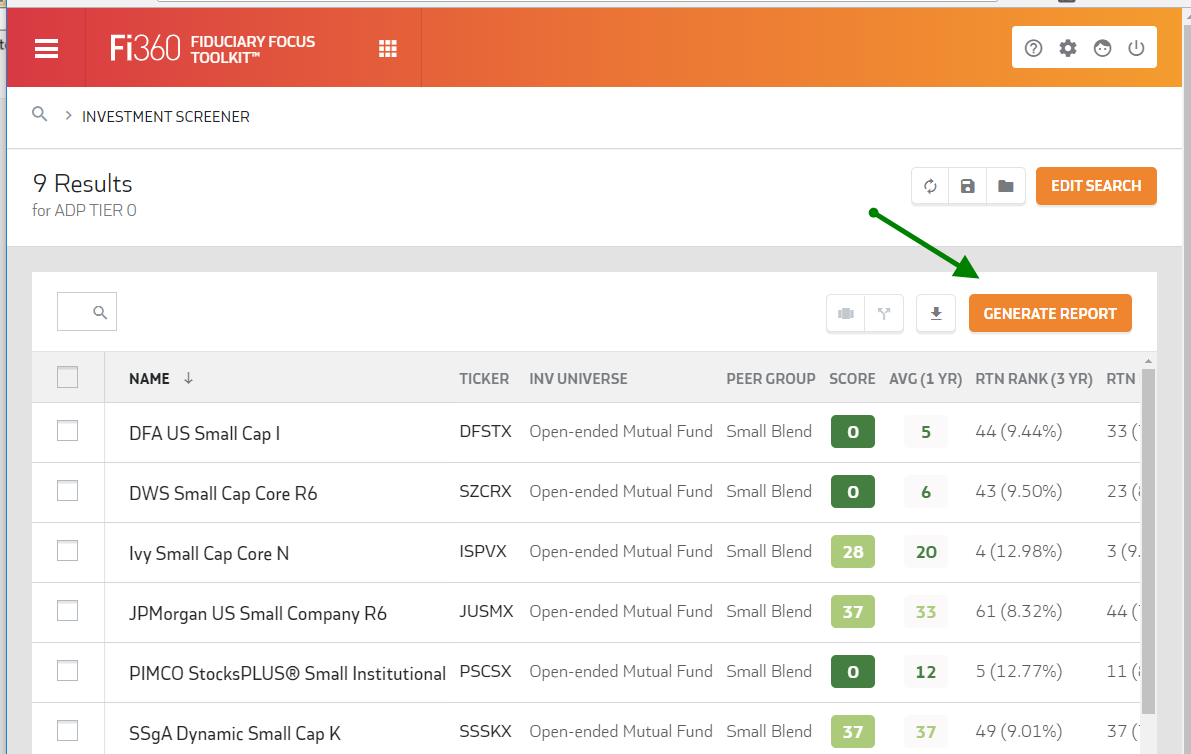
This is a perfect report for a few scenarios, all of which can be generated in under a minute;
- A summary of a client/prospect lineup based on a list of tickers
- A summary of a large list such as a 401k Platform, Fund Family or Approved List
- A summary of your custom search results
With this release, the Research Report contains 4 possible sections but will expand to include many more in our subsequent releases. The most notable section now available is the ‘Investment Snapshot’ which provides a concise summary of your investments including the Fi360 Fiduciary Score, Performance and Expenses broken down by peer group. It also includes median and index values and allows you to remove the Fi360 Scores if you don’t want to include them. (View Sample Report)
- Apply your screen and view results
- Click the ‘Generate Report’ (if you wish to run a Research Report on select investments, be sure to check the boxes next to them)
- Choose ‘Include All # Investments in List’ or ‘Include Only Selected Investments’ (if applicable’
- Choose ‘Investment Data As Of Date’ (Previous Month End or Previous Quarter End)
- Finally, select a template and generate the report
Framework for Report Templates
While not directly available to you yet, we have added the infrastructure to support configurable report templates. Within your account, you will see a set of templates pre-populated for you in the Research Report dropdown. In an upcoming release, we will enable the ability for you to create your own templates.
Once we expose that functionality, you will be able to configure your own report templates by selecting the sections you want and the order you want them in. In addition, you will be able to hide certain fields such as the Fi360 Score or asset values and select from various grouping and sorting options within a section to best meet your needs for a particular client or situation.
Improved Feature - New Integration Providers
The following 401k recordkeepers are now active as integration partners. All require Firm Level integration authorization. This means that if you are affiliated with a Broker/Dealer or large RIA, the provider will require home office approval for the integration connection. Check with Fi360support@broadridge.com or more details as we may already be getting your plans if you are affiliated with a larger firm that has authorized the data delivery.
- July Business Services
- MassMutual
- Securian