New Feature - Two New Research Report Sections
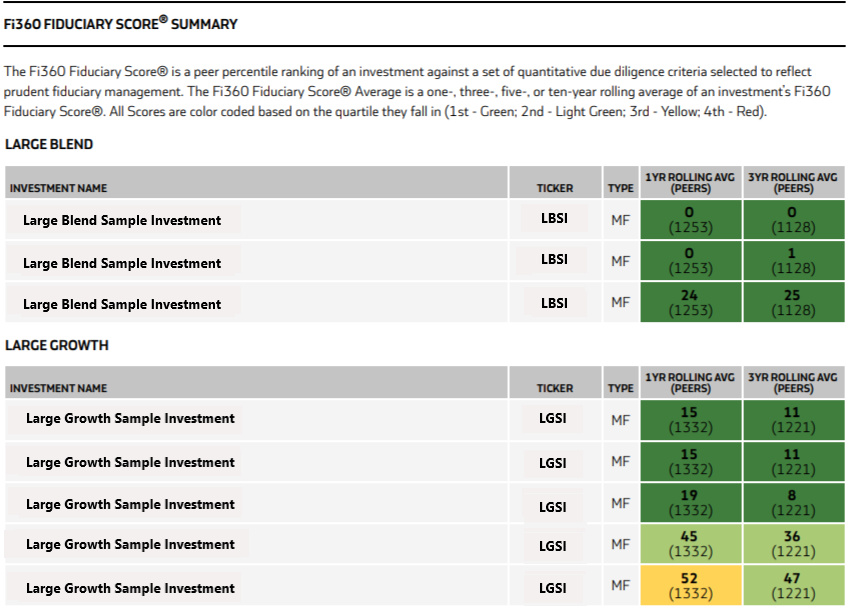
The Fi360 Fiduciary Score® Breakdown and Fi360 Fiduciary Score® Summary are now available in the Investment Screener results table, as well as newly implemented functionality in Client Holdings (see below). You will see several new 'Report Templates' available to choose from when generating a report in the Investment Screener or in the Client's holdings. Report Templates will continue to expand until you have the ability to create your own 'Report Templates' in an upcoming release. Streamlined to focus on areas that need action, all while showcasing engaging visuals that resonate with your client, these new report sections continue to expand your reporting capabilities! These are perfect reports to present the Fi360 Fiduciary Score® for each client investment! The Fiduciary Score® Breakdown even presents any shortfalls for the eleven-criterion used in the Score process. (View Sample Reports)

Improved Functionality - Generate Reports in Client Holdings
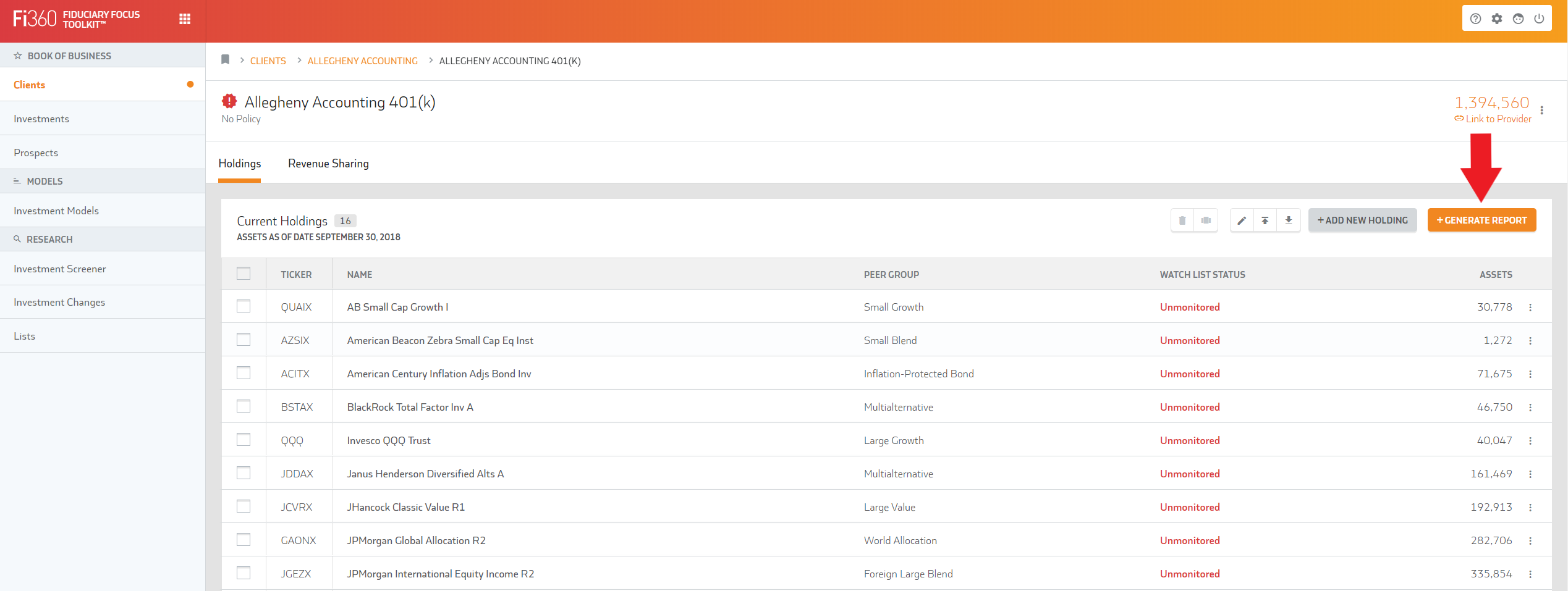
Ad-hoc reporting is now available in the client's holdings! Please note, you can now produce a report that includes all, or selected, investments in a client portfolio without implementing an Investment Policy Template. A report can be created by following the below instructions:
- Select your specified Client on the home screen
- Click into the client account you wish to access
- Click the ‘Generate Report’ button [top right] (if you wish to run a report on select investments, e.g. watch list investments, be sure to check the boxes next to them)
- Choose ‘Include All # Investments in List’ or ‘Include Only Selected Investments’ (if applicable)
- Choose ‘Investment Data As Of Date’ (Previous Month End or Previous Quarter End)
- Finally, select a template and generate the report
Improved Feature - New Integration Providers
The following 401k recordkeeper is now active as an integration partner. It requires Firm Level integration authorization. This means that if you are affiliated with a Broker/Dealer or large RIA, the provider will require home office approval for the integration connection. Check with Fi360support@broadridge.com
for more details as we may already be getting your plans if you are affiliated with a larger firm that has authorized the data delivery.
- John Hancock